
Before Email: Computer Messaging in the 1960s
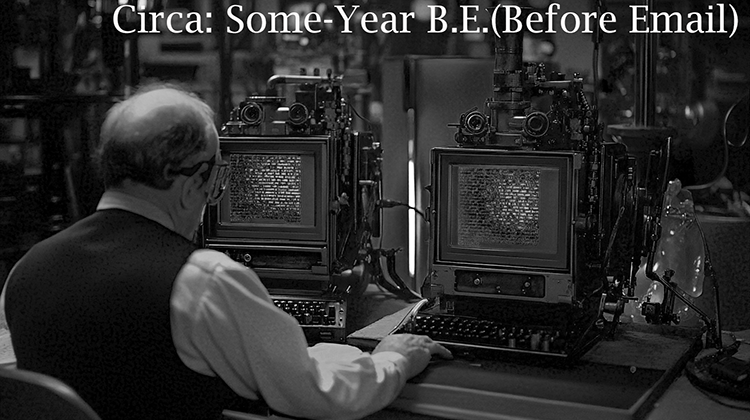
Email feels like it has always been part of the internet, but people were leaving each other electronic messages years before the internet existed. Those early systems worked inside a single computer, and understanding their limits explains why networked email, when it arrived in 1971, was such a leap.
Time-sharing: many people, one computer
In the early 1960s a computer filled a room and cost millions of dollars, so organisations shared one machine between many users. Time-sharing systems made that practical by switching rapidly between users so that each person, sitting at their own terminal, felt they had the computer to themselves. The best known early example was CTSS, the Compatible Time-Sharing System, demonstrated at the Massachusetts Institute of Technology (MIT) in 1961 and in regular use by the mid-1960s.
Once dozens of people used the same machine, they needed to leave each other notes: "your job crashed", "the printer is jammed", "meeting moved to three o'clock". Doing that by paper meant walking across a building. Doing it on the computer they were already using was the obvious next step.
The CTSS MAIL command (1965)
In 1965 MIT added a MAIL command to CTSS. Tom Van Vleck and Noel Morris wrote it, following a proposal from colleagues on the system's staff. It was simple: sending a message appended text to a file called MAIL BOX in the recipient's own directory, and the system told users when they logged in that new mail was waiting. The sender's name and the time were added automatically.
That design contains the core ideas of email that still apply today: a personal mailbox that collects messages while you are away, a record of who sent each one, and notification when something new arrives. What it lacked was reach. A message could only go to someone with an account on the same computer.
Other early systems
- Other time-sharing sites, including systems at universities and research labs, built their own mailbox programs in the mid and late 1960s, each working only on its own machine.
- Real-time messaging existed alongside mailboxes. Commands that wrote a line of text straight onto another logged-in user's terminal were the ancestors of chat and instant messaging, and of the Unix
writecommand. - PLATO, an educational computer system at the University of Illinois, developed an unusually rich set of communication tools in the early 1970s, including an online notes and discussion system in 1973 and real-time chat between terminals.
The limitation that mattered
All of these systems were islands. Your mailbox lived on one machine, and so did everyone who could write to you. To reach someone at another institution you still used the telephone, a letter or a telegram. That began to change with the ARPANET, a research network funded by the US Department of Defense that connected its first computers in 1969. Once separate computers could exchange files, a message could, in principle, be delivered to a mailbox on a different machine.
From mailbox to network
In 1971 Ray Tomlinson, an engineer at the firm Bolt Beranek and Newman, did exactly that. He combined a local mail program with a file-transfer program so that a message could be appended to a mailbox on another ARPANET computer, and he chose the @ sign to separate the user's name from the name of their machine. That story, and the argument over what really counts as the "first" email, is told in The World's First Email?
Timeline
| Year | Milestone |
|---|---|
| 1961 | CTSS demonstrated at MIT, one of the first time-sharing systems |
| 1965 | MAIL command added to CTSS: messages stored in each user's MAIL BOX file |
| 1969 | First ARPANET computers connected |
| 1971 | Ray Tomlinson sends mail between two ARPANET computers and adopts the @ sign |
| 1973 | PLATO Notes brings online group discussion to the PLATO system |
| 1982 | SMTP is published as an internet standard (RFC 821), defining how mail servers talk to each other |
Today's email still runs on the protocol published in 1982. To see how the modern system works, read How Email Works: SMTP, MX Records, IMAP and Email Authentication.